 |
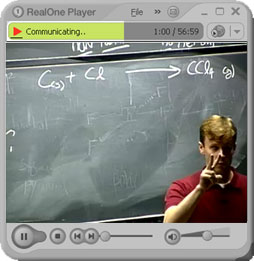
Video freezes or stutters after about one minute of play. Audio may continue, or you may hear pops and skips. This has been traced to a compatibility issue between Real Media format and the graphics acceleration drivers in certain popular PCs, including Dell and Gateway. It may apply to other brand-name PCs as well. It is not known to occur on Mac machines. |
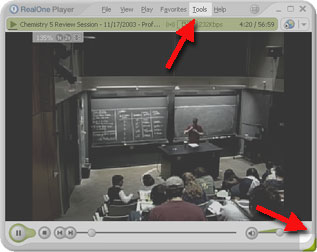 |
Use your mouse to "grab" the lower-right corner of the player. With the mouse over the corner, you will see a diagonal, two-headed arrow. Press and hold the left mouse button as you drag the mouse to the right. This will increase the width of the player to expose the TOOLS menu at the top. |
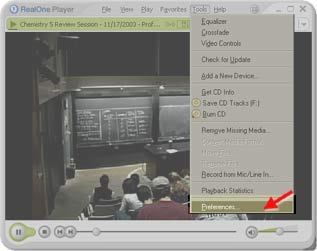 |
On the TOOLS menu, select PREFERENCES. |
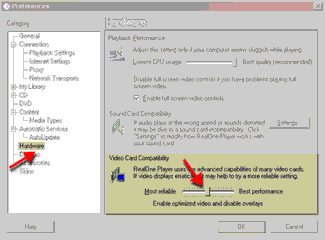 |
Select HARDWARE in the left column. Move the slider under VIDEO CARD COMPATIBILITY to the CENTER position. Click OK. You must close and re-open RealOne Player for the change to take effect. |