
My new Thinkmate machine (2010)
Oliver Knill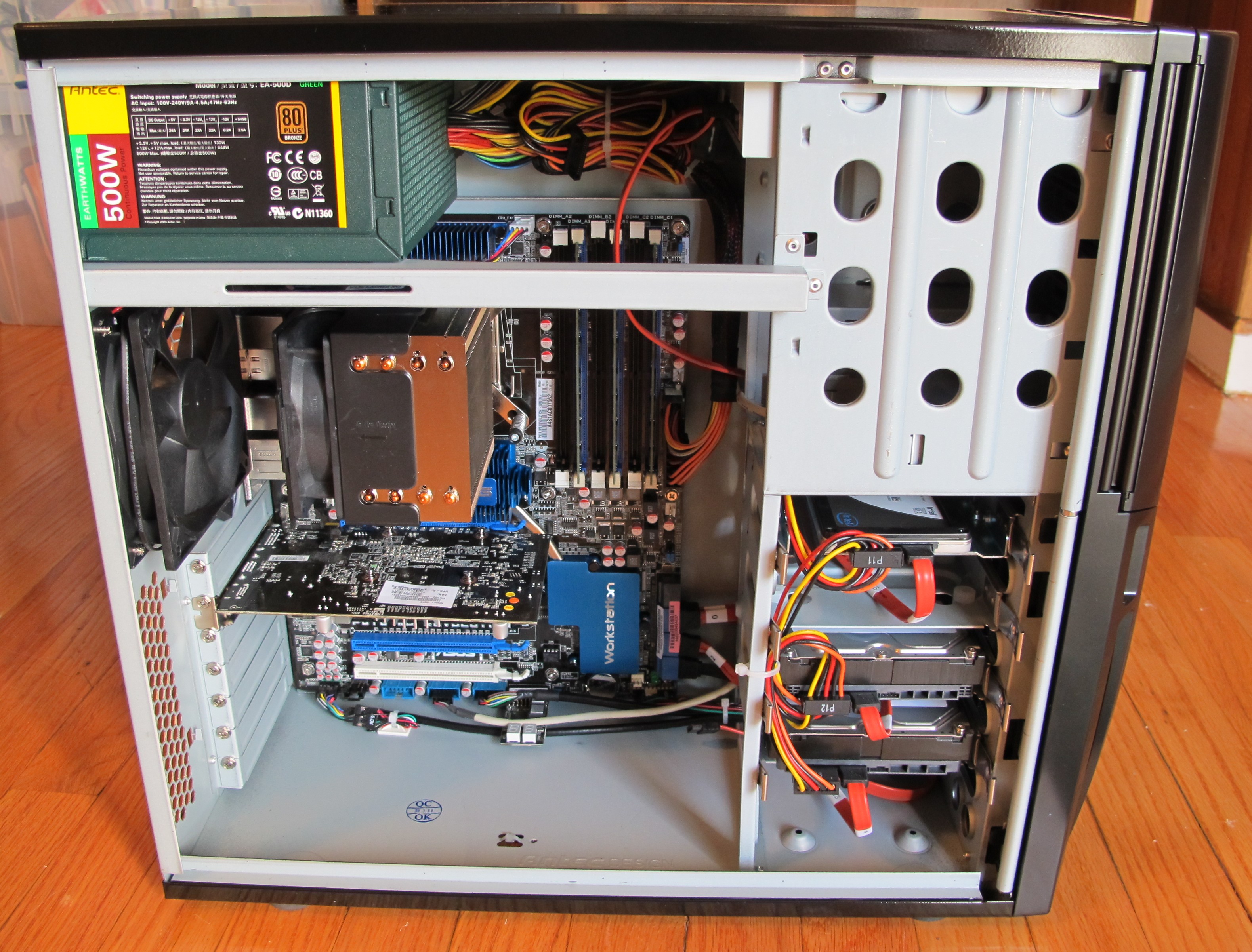 My home office machine from 2005 was still a Pentium Machine. Even so it ran
fine, it needed to be replaced. It was heating up the home office too much, sucked a lot of electricity
and was too loud and lag began to become annoying. Delays of fractions of seconds can
slow down productivity. This adds up to half an hour or more every day.
There was no question for me to go again with thinkmate, where it is possible to
get an excellent workstation for a reasonable prize. The new machine needs about half the energy of the Dell and is quiet.
Mathematica runs smoother, especially with large graphics. As expected, it is about 2-2.5 times faster for raw computations.
I have been happy with an older thinkmate
in my work office and went again with
a Antec Sonata III 500-ATX Mid Tower. It comes with a 500 Watt
quiet power supply. See a larger picture of the machine built by thinkmate.
My home office machine from 2005 was still a Pentium Machine. Even so it ran
fine, it needed to be replaced. It was heating up the home office too much, sucked a lot of electricity
and was too loud and lag began to become annoying. Delays of fractions of seconds can
slow down productivity. This adds up to half an hour or more every day.
There was no question for me to go again with thinkmate, where it is possible to
get an excellent workstation for a reasonable prize. The new machine needs about half the energy of the Dell and is quiet.
Mathematica runs smoother, especially with large graphics. As expected, it is about 2-2.5 times faster for raw computations.
I have been happy with an older thinkmate
in my work office and went again with
a Antec Sonata III 500-ATX Mid Tower. It comes with a 500 Watt
quiet power supply. See a larger picture of the machine built by thinkmate. It is the first time that I used a X25-V solid state drive for a PC. I use it to run the linux operating system which only uses 10 gig from this 40 Gig drive. I install some software like Mathematica on /usr/local which is also on this drive.
The machine has 2 1T SATA Seagate Barracuda drives, which I mirror with rsync. The first one is mounted on /home in which about half a TBytes is filled. Rsyncing is done with cron regularly (also with my office machine) and I'm glad to have now a stronger machine to do that faster (this is a multiple times faster than before). As usual, I have keep regularly long term backups on external drives (which are never overwritten any more. I currently use slow 100 dollar 2 TByte drives for that which one can get for 100 dollars now).
Even so I do not expect to use it much, there is a Samsung 22x DVD+/-RW Dual Layer LightScribe drive and a 19-in-1 3.5" Card Reader. With Ubuntu standard DVD's play well with totem.
A Quad-Core Intel Core i7-960 3.20GHz processor gives currently the good performance-value ratio. The CPU lives on a ASUS P6T6 WS Revolution - ATX - Intel X58 Chipset. I chose 3 Crucial 2GB PC3-10600 1333MHz DDR3 memory slots. The graphics card is an NVIDIA GeForce GT 220 1GB. Google earth flight simulator rocks.
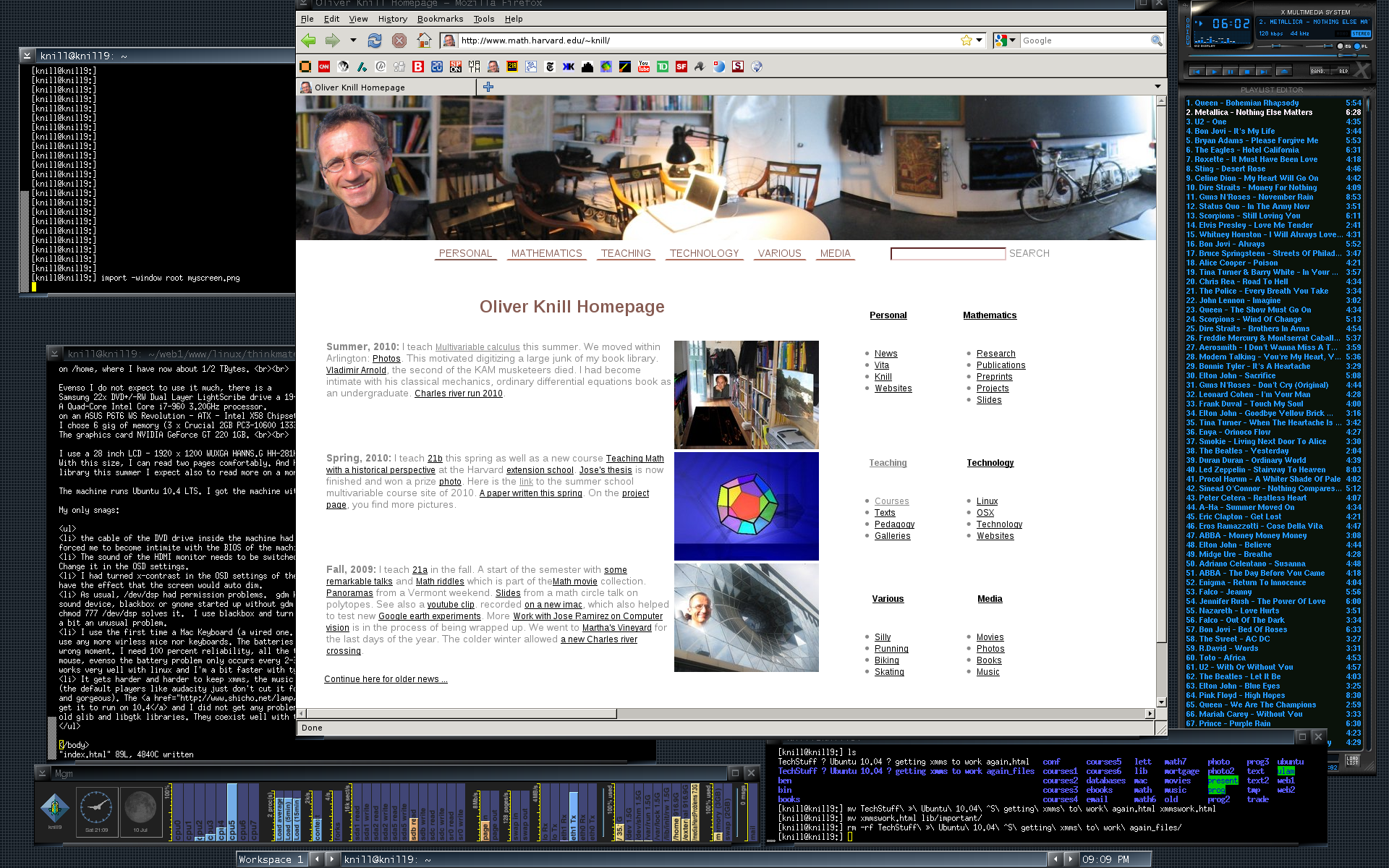
I ordered the new desktop machine together with a 28 inch HDMI LCD monitor. It has a 1920x1200 WUXGA resolution (which is now the minimum for my work computers) and is manufactured by HANNS.G. The model is HH-281HPB and comes with built in speakers. The sound is ok for a monitor speaker. With this monitor size, I can read two pages comfortably. The screen is flawless. And having scanned part of my book library this summer I expect also to read more on a monitor. Here is a 1920x1200 pixel by pixel dump of the monitor screen, while I write this. You see the "artwiz" theme in blackbox, xterm's (they still are the only xterminals without copy paste issues in foreign languages), the xmms music player which looks good, and the moaning goat meter at the bottom (which I use only primarily to test the system).
The machine runs Ubuntu 10.4 LTS. I of course got the machine without operating system. The newest Ubuntu is the smoothest linux system so far.
Some configuration issues which came up during the few hours to set up the system:
- the cable of the DVD drive inside the machine had become lose due to the transport with UPS. This forced me to become intimate with the BIOS of the machine because it took me a while to find the problem.
- The sound of the HDMI monitor needed to be switched from HDMI to "PC". The sound cable from the computer goes then into the monitor and plays there. I had to change this in the OSD settings.
- I had turned x-contrast in the OSD settings of the monitor. This had the effect that the screen would auto dim when most of the monitor would be dark.
- As usual in linux, the device /dev/dsp has permission problems. The gnome desktop manager gdm knows how to access the sound device, blackbox or gnome started up without gdm does not. chmod 777 /dev/dsp solves it. Since I can not accept any processes which are not absolutely necessary, I use blackbox and turn off any gnome processes, so that this is a bit an unusual problem.
- I use now a Mac aluminum Keyboard. It is the small wired one since I can not stand any more wireless mice nor keyboards. The batteries always are dead in the wrong moment. I need 100 percent reliability for my keyboards and mouse. Even so the battery problem only occurs every 2-3 months and bluetooth connection problems on my mac every 2 weeks or so, I every time get upset since it always happens in the wrong moment, when things have to go fast. The apple keyboard works well with linux and I'm a bit quicker with typing than with the happy hacking keyboard (they have to be replaced however more frequently).
- It gets harder and harder to keep xmms, the music player with Ubuntu. (The default players like audacity just don't cut it for me since they are too big and complicated. The good ol xxms is simple and looks gorgeous). I like to play files from the command line with xxms */*.mp3. The Instructions to get it installed in Ubuntu 10.4. I did not get any problems by dragging in the old glib and libgtk libraries. They coexist well with the newer ones.