- Distribution: The distribution Mandriva
works flawlessly on my linux boxes. Some machines still run
"Mandrake". A few machines now run Ubuntu, which installs
things even faster than Mandrake with the
automatix script.
I usually get the Mandriva media for a few dollars at
linux central.
What is essential for me: the installation is fast and usually does things right.
Here are a few things, I usually have to
adjust after an installation. I liked a 2005 Mandriva edition of
Mandriva which allowed to copy first all the CDs on hard disc.
- Comparison with OS X. While I'm also a big OSX fan, there are
many advantages of Linux: even on inferior hardware, a properly configured
linux box can be a multiple times snappier. There are the
fraction of seconds, one has to wait at the shell with OS X, or -
worse - watch the "turning wheel of annoyance", which is absent in linux.
In this respect, OSX is at the level of linux distributions I used 4-5 years ago.
An operating system never, ever should block a user, even for fractions of
seconds. There are other things of course, like not having to reboot after an update
(which makes OSX unfit for scientific computing),
the lack of digital right management systems DRM, the independence of a vendor
and transparence in what is there and what is running, and what is phoning "home".
- Browser: Mozilla, Firefox or Lynx.
A wrapper to give Mozilla the ability to open
local files from the command line. Firefox recently added the ability to
open files locally too. Finally.
- X: Vidia drivers worked great until Mandrake 10,
where it had problems with the 2.6 kernel, but switching back to the 2.4 kernel
worked well. In Mandriva, things are automatically
configured during the installation and work well. Also, in Ubuntu, all
NVidia stuff works well.
- EMail: The Unix "mail" is fast, simple,
reliable and secure. To send and receive attachments per commandline,
"mpack" and "munpack" work well. I use "Pine" to handle more complicated
carbon copies or attachment lists. "procmail" to filter some addresses.
(I feel that spam filtering
is in principle unsolvable without a change of the SMTP protocol.
It currently works only because spammers are too simple-minded to
serve their load past the filters. The "spam/no spam decision" is not
only person-specific but also time and situation dependent.)
Recently the spammers started to learn how to pass even the most sophisticated
Biasian filters. July 2006: This has now happend. Spammers use many addresses
only once, send messages in a form, which a normal person would send too.
- DVD burning DVD burner and media prizes have come down and are great
for backup. Here is an older makedvd script.
Things got simpler:
"growisofs -Z /dev/hdc -R -J directory" burns a directory onto DVD.
"dd if=/dev/cdrom1 of=data.iso bs=2K;
growisofs -Z /dev/cdrom2=data.iso" copies a data DVD from DVD drive
/dev/cdrom1 to a DVD burner /dev/cdrom2.
- Backup on HD
More recently, even backup on DVD is no more an option for me. I backup on
a my network of computers and keep entire harddrives as a long term backup.
I always hated tape, whether it was for sound, video or or backups
and even stopped using a decent
Sun Tape drive, when harddrives became bigger. I use now a reliable, caseless,
hotswappable "masscool ADT-UPS001 IDE/SATA to USB 2.0 Adapter", to attach HDs
and GPG encrypt the backup with commands like
"tar -czf backup/bin.tgz bin; gpg --recipient knill@math.harvard.edu --encrypt backup/bin.tgz; rm backup/bin.tgz"
which can as easily be decrypted and encompressed
"gpg --decrypt backup/bin.tgz.gpg>bin.tgz; tar -xzf bin.tgz"
Of course, to compress and encrypt hundreds of gigs, needs some time. Backup is a reason,
why I like to have a decent machine, since this task is done regularly, usually at night.
- Editor: "vi" moves mountains, is extremely fast, reliable
and simple. In order to use the default editor, like "nano" in Ubuntu:
"sudo rm /etc/alternatives/editor; sudo ln -s /usr/bin/vim /etc/alternatives/editor"
- Terminal: Despite the many alternatives, I find "xterm" still the
best. It is easy to configure, does not have annoyning menus nor problems with fonts
(like German umlaute). I had some issues with fonts on Ubuntu machines. Cutting
and pasting german umlaute and other special symbols would not work when starting up
xterm from the "blackbox" windows manager. The culpit was "gdm".
This is an other reason not to run this deamon and to start X manually with "startx".
This also saves some CPU cycles (I alwyas try to minimze the number of processes running
on my machines). I start xterm up with
/usr/X11R6/bin/xterm +cm -sb -bg black -cr yellow -hc red -fg white
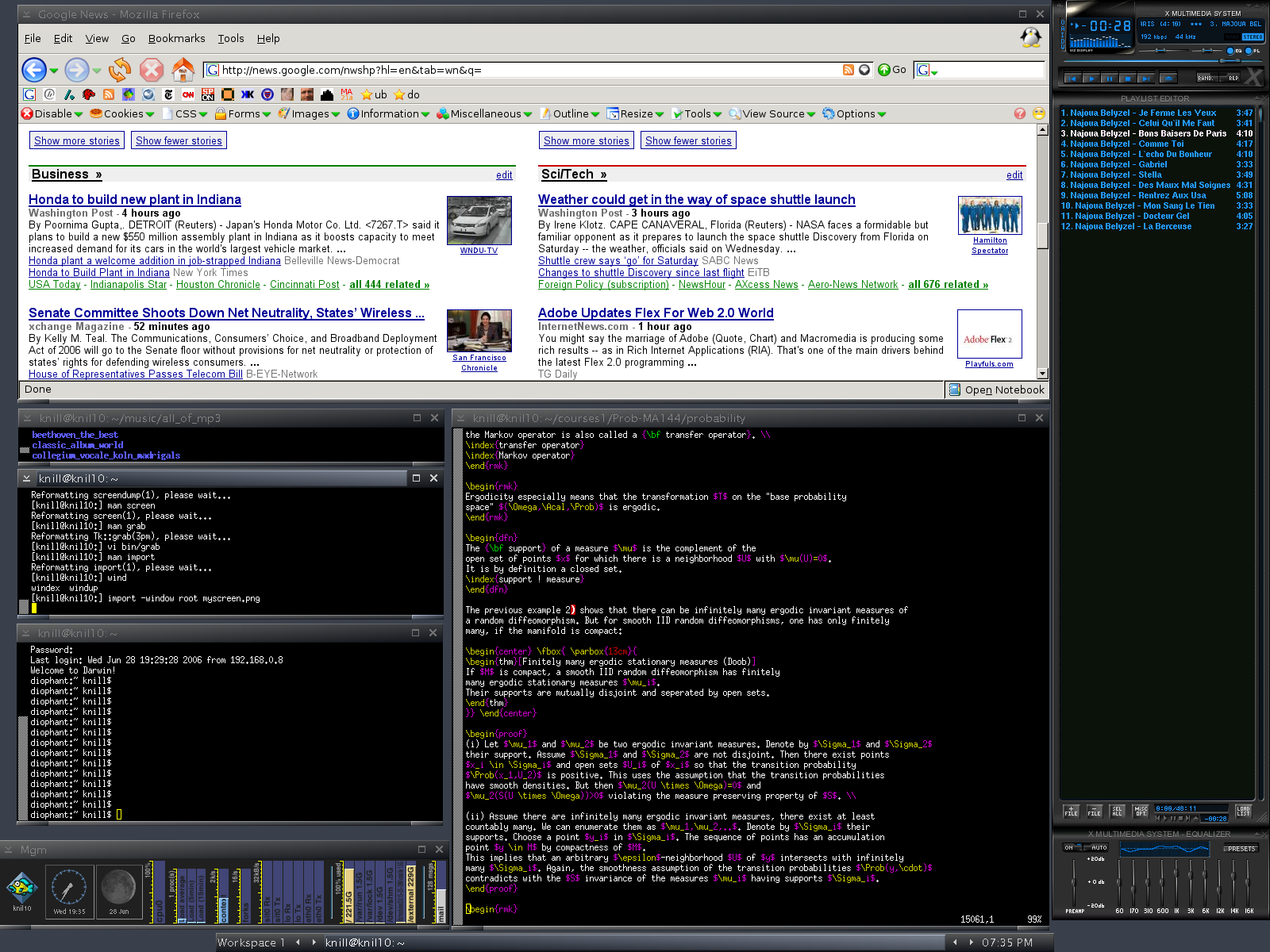
here is a screenshot.
- Gaming: "winex"
allows to play many windows games within linux without performance
degradation. I used to play "Wolfenstein" on Linux.
- PDA: I had my first Palm Pilot in 1996 with a Macintonsh.
It worked also with Linux using a serial connection. Next came a
Handspring Visor with a Targus stowaway portable keyboard which served
as a super small laptop. Unfortunatly it failed to work with linux.
Then, I got a Sharp Zaurus running Linux until I smashed its screen.
I currently find a paper based book agenda more efficient.
- MP3 player: I use an Ipod and more recently an Ipod shuffle and
Video Ipod. While USB stick
type players like BUSlink or players with memory cards work best with
linux, there is nothing on linux which comes close to Ipod with Itunes
on OS X. But the ipod can now run
linux .....
- Scanning: The Epson Perfection 1200 worked well with a
SCSI interface. A Canon Lide 30 USB scanner works
is "plug and play" in Mandrake. Scanning under linux still beats all
GUI based scanning software. Of course from the commandline with "scanimage".
- Textprocessing: I use almost exclusively LaTeX.
A quick cure to MS-Word documents: "strings insane.doc > sane.txt"
or if possible "wvText insane.doc sane.txt"
I also use abiword and
openoffice. Abiword paired with
"demoronizer"
can produce formatted .txt documents from .doc. I also bought
textmaker, which works well
in linux.
- Spreadsheets: I handle most spreadsheets tasks with shell scripts
using awk, grep, sed or perl. For complex things, I use "Mathematica" and
use scripts to bring text files into Matematica form.
"gnumeric" on Linux helps to bring Excel files into text form. I also have
planmaker on Linux, evenso
I have some general issues with spreadsheets.
- Windows manager: "Blackbox" is a simple windows manager
with multiple workplaces and small footprint. It looks nice and is all I
ever need screenshot.
Both Mandriva and Ubuntu install blackbox as a menu in the login window
otherwise put "blackbox" into ".xinitrc" file.
- Monitoring: "mgm",
the "moaning goat meter", written in perl, "ethereal" to monitor
network, "nmap" to check ports, "cpm" to monitor network
interfaces, "tripwire" to guard /etc.
- Shell: I use exclusively bash, also on the Mac OS X or Solaris
operating system.
- DVD: I think one of the main reasons that linux is not more
popular is that DVD playback does not work out of the box, after an installation and
decss has to be grabed. "mplayer" is great, but one has to get "libdvdcss"
first. But if things work, the DVD experience is great. DVD's can be seen
indepedent of region code, there is an immediate startup without warning splashes
or "blocked menu accesses" in players like iDVD in OS X. To save a DVD as a mpg movie
on the harddrive, use
"mencoder -dvd 1 -lavcopts vcodec=mpeg1video:vpass=1 -ovc copy -oac copy -o film.mpg".
Ubuntu has now scripts like "Automatix", which allows to configure DVD automatically
for linux distributions. This is probably one of the reasons for the popularity of
Ubuntu. I don't know how many hours I have spent with configuring "mplayer" or "xine"
on linux boxes the last 10 years. This works now pretty well with Ubuntu. But watching DVDs
still has not the ease as in OS X, especially with "frontrow".
- Image browser: I prefer "xv" for pictures. Grab also the
super patch. It improves also
PNG support. In OSX, "Preview" has become better too and can now also open huge numbers
of pictures simultaneously without locking the machine up. xv has also a nice
color editor.
- Quicktime: The
crossover
plugin works quite well. With suitable compiled "xanim"
a few quicktimes can be watched. Having "Quicktime Pro" on the Mac, I often
just translate the .mov file as .avi, to be able to view it in linux.
"SnapZ Pro X"
allows to record things from the screen.
- Graphics: "gimp" for raster graphics allows
to have things done, before the Photoshop hog even starts up.
I mostly use ImageMagic's" "convert" for command line conversions.
- Ray tracing: "povray".
- CAS"Mathematica".
(Mathematica works well in linux on the command line, I had problems
at first in Mandrake 10 with libmtk.so and needed to reinstall. Also font
problems with the mathematica GUI are common in
Unix versions, except in OS X.,
- Illustrations. "xfig" can produce simple LateX graphics which then can be
edited by hand, scribus is getting better.
But a decent "Adobe illustrator" equivalent is not yet available in linux.
I use "inkscape" a lot as an alternative. One can run also "Adobe Illustrator" via
"wmware".
The program "oodraw" in the open office suite works quite well to export eps files.
Now, I almost exclusively use Mathematica to generate mathematical illustrations in
postscript form.
- Virtual machine. "vmware".
I upgraded over the years from version 2.0 to 3.2, then 4.05, now
I'm using workstation 5, which has a cool snapshot feature. I could not carry over an
old virtual machine created in 2.0 (new MS registration was required and failed) and had
to do a fresh install of an XP virtual machine. I wonder what will happen when Vista
appears.
- Dual boot with XP: Simplest solution: leave XP on one harddrive and install linux
on a second drive. Here is my lilo.conffile (Linux on the
master drive, XP/NT on the slave drive). But I do hardly reboot anymore thanks to
"wmware" and "xwine". Since google earth has appeard on linux and OS X, I practially
do no more use windows.
- Coexist with OS X. Mac OSX complements linux wonderfully. At home, I setup
linux as a NFS server and mount the home directory on the macs. Certain things can
not be done yet well in Linux like OCR (I have ReadIris and Omnipage for OS X),
editing PDF files (Acrobat and Preview), Flash creation.
Also external devices, like Video cameras, video editing, DVD authoring and even
reliable printing is just so much simpler in OS X.
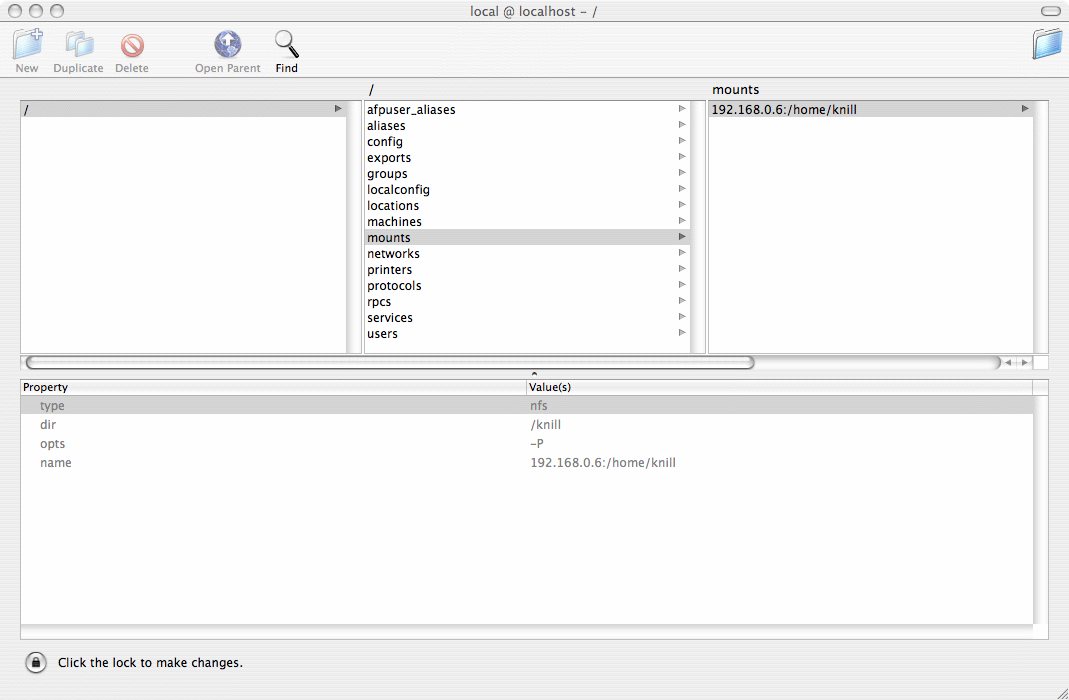
Back to NFS: the easiest way is to add an directory service
entry using the Netinfo manager.
- Flash: Flash 9 finally works both in Ubuntu Dapper and Edgy. While
an installation by hand from the Adobe page, the sound did not work for me,
a basic
sudo aptitude install flashplugin-nonfree
finally does the job as of january 2007. Before, that I had used also
run Firefox with wine.
- Backups: While working:
flashback.
Nightly: rsync on second HD and on different machines. Daily diff miror
home/office via broadband. Weekly: Backup up on different machine from the daily
backup. Less and less: burn a few DVDs. Yearly: get a new HD and
retire an old one with backups. It is important to have backups off the cycle.
A corrupted file can propagate slowely through all backups and only get noticed
a few years later. It is good to be able to "turn back time" also for longer time
periods, possibly due to fat finger accidents.
- Unix: Having been excited to learn Unix on a VAX workstation in 1984,
I bought in 1989 a "Next Station" and in 1994 a
Sparc station LX
which both still work, (since 2002, both
were retired in the garage and in 2005, I finally had the heart to throw them away.
Nostalgia:
Next at my office in Tucson, and here is
an old intranet page with computers.
Having been satisfied with the Next and a Sparc station and a
Tenon MachX
Mac application on a Apple Powerbook 5200
for many years, I started using Linux relatively late (1996).
- Games. Due to lack of time, I like simple games. Like
Garage Games.
"Marble blast" and "Think tanks" which run nicely in Linux and
are reasonably prized. For short breaks, I like games like
xkoules.
- Keyboards Spending most of my work day at computers, I find the keylocations and
the mechanics of a keyboard crucial. I use now exclusively
"Happy hacking keyboards", which I get at
linux central. I use them also on all OS X machines.
They have now two USB ports at the back. On all keyboards, I switch the third jumper at the back of the
keyboard to have [del] and [BS] behave as I want.
 |
 |
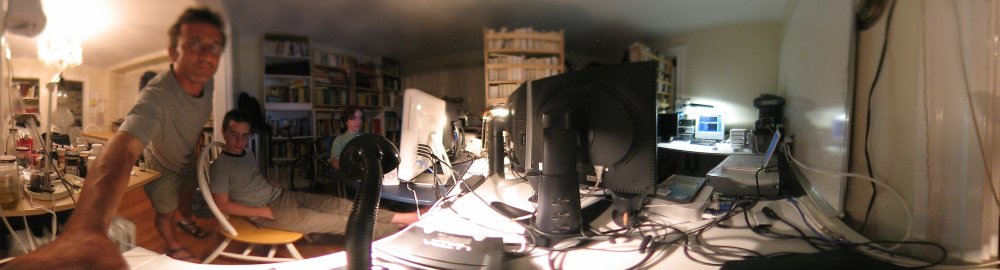
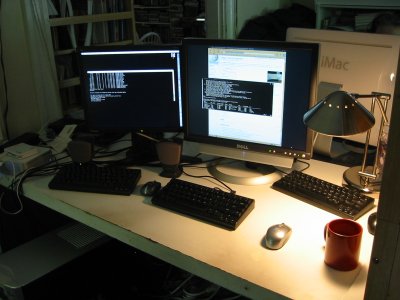
| A linux and mac mini setup on Oliver's desk.
One of the three happy hacking
keyboards is for an other linux machine for which I just switch the screen. I also like small wireless
mice with USB sticks on the back of the keyboard. The Mac mini is mostly used
for video editing, flash creation and watching DVD's while working on the other machine.
The mac minis are great and quiet and I like also the one in the office, where I switch
between linux and OS X with a KVM switch.
|
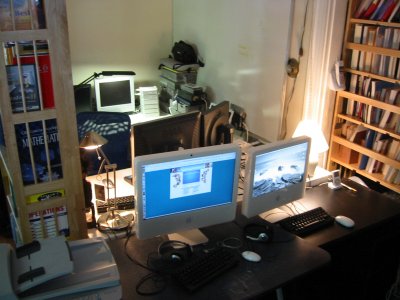
Two Imacs with Happy hacking keyboards on Ruth and Bens desk. In the background is the mac mini
with a stack of Lacie drives. Also this mac has a happy hacking keyboard. Barely visible are the
ibook laptops. One of which is now used for the piano.
To the left of the picture one can
see a networked HP 3055 printer/scanner/copy machine for which the TCP/IP
configuration is set to "manual" with a fixed IP address so that all machines can print comfortably
on it. Scanning needs a HP proprietary interface and currently only works on the macs.
|
|